
Install Netice on your device
Every version is free to download, and Pro features are unlocked for the first 14 days. Use your phone and computer together.
Android
For phones and tablets. Android 7.0 or later.
iPhone and iPad
In App Store review. iOS 15 or later.

Windows
From the Microsoft Store. Windows 10 and 11, 64-bit. Reads scanned PDFs in bulk.
Mac
From the Mac App Store. One Pro subscription covers your iPhone, iPad and Mac.
How do I download it and get Pro?
On every device, Netice is downloaded from that device's official store. The store handles payment; your card details never reach us.
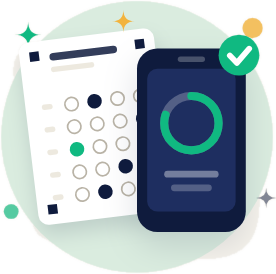
Android phones and tablets
- Open the "Netice" page on Google Play or tap the button below.
- Tap Install; the app downloads for free.
- For Pro, go to Profile › Netice Pro in the app. Payment is charged to your Google Play account.
To cancel: Google Play › Payments & subscriptions.
iPhone, iPad and Mac
- Open the "Netice" page on the App Store (on a Mac, the Mac App Store).
- Tap Get; the app downloads for free.
- For Pro, go to Profile › Netice Pro in the app. Payment is charged to your Apple ID, and the same subscription works on iPhone, iPad and Mac.
Coming soon to the App Store. To cancel: Settings › Apple ID › Subscriptions.

Windows computers
- Find "Netice" in the Microsoft Store and click Install; the program is free to download and signed by Microsoft.
- For Pro, write to us or pay via the payment link on our site; your license code will arrive by e-mail.
- Enter the code in the program under Profile › Institution license.
School plans are activated with the same license code.
Your first report five minutes after installing

Add your class
 Add your class
Import your student list in one go from Excel, an e-Okul list (Turkey's national school information system) or a PDF.
Create the exam
 Create the exam
Enter the number of questions and the answer key, or scan the key from a photo. If you like, build the test booklet from your question bank.
Print and scan the sheets
 Print and scan the sheets
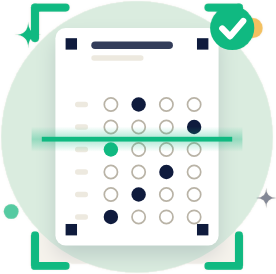
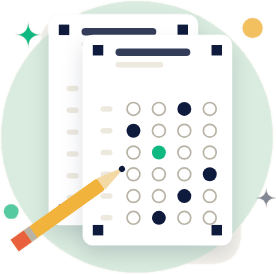
Print the answer sheets with "Print sheets", then scan them with your camera after the exam.
Share the report
 Share the report
Print the exam report and send report cards to parents. The in-app guide and videos walk you through every step.
Common questions
Do I need to create an account?
No. Netice doesn't ask for an e-mail, phone number or account. You can start using it the moment you open the app.
Do I need an internet connection?
Scanning, analysis and reports work offline. Only AI question generation and the optional Google Drive backup need the internet.
Where is student data stored?
Only on your device. Netice never sends student information to its own servers. If you like, you can back up to your own Google Drive account.
Do I need special bubble sheets or a scanner machine?
No. You print the Netice answer sheet on plain A4 paper with any printer. You can also set up templates for other publishers' answer sheets.
What if the sheet is tilted or shadowed?
Netice finds the corner marks, straightens the sheet and adjusts the threshold for shadows. The camera shows tips like "Move a little closer" or "Light is reflecting". Any marks it can't read go to a review list.
Can I move data between my phone and computer?
Yes. Create a backup file in Settings and restore it on the other device, or collect shared exam results on one device over the same Wi-Fi network.
What happens when the 14-day trial ends?
Scanning, the question bank and basic reports stay free. For Pro features such as term reports, report cards and A–H booklet versions, you can upgrade to Pro. Your data is never deleted.
How do I cancel my subscription?
On Android, go to Google Play > Subscriptions; on iPhone and Mac, go to Settings > Apple ID > Subscriptions. A cancelled subscription stays active until the end of the billing period.
Can we buy in bulk for our school?
Yes. The school package starts at 5 teachers and offers discounts from 25% up to 45%. With an institutional license for 50 or more teachers, every teacher gets Pro and an admin panel is unlocked. Write to us for a quote.
Can it be used at the Police Academy, military schools, gendarmerie schools or universities?
Yes. When you choose your institution type in the institution settings, report headers and signature fields are adjusted to match that institution.
Which languages does it support?
15 languages: Turkish, English, German, Azerbaijani, Spanish, Portuguese (Brazil), Russian, Italian, French, Chinese, Japanese, Korean, Hindi, Indonesian and Arabic.
Write to us with questions, suggestions or a school quote request
For a school package quote, just send us your school's name and number of teachers.
bilgi@neticeoptik.com